
Activating Fast Member is straight forward.
From the members area of the Fast Member website navigate to the licence page. You can visit it directly by clicking here
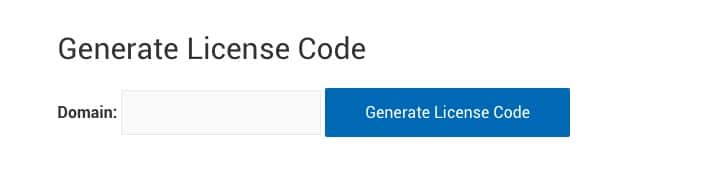
Enter the your web domain in following format only into the licence code generator
yourdomain.com
Enter it without www and without the trailing slash /
If you wish to licence a subdirectory, for example yourdomain.com/members then just enter only the main domain without the directory.
If you wish to licence a sub domain then enter as
subdomain.yourdomain.com
Once you have entered your domain and hit Generate Licence Code you will be given an Licence Code to enter into your Fast Member site

Copy the Licence Code and go to the Fast Member settings page on the website where you have installed Fast Member
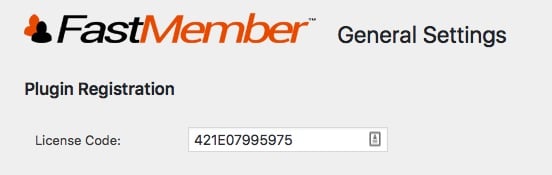
Paste the Licence Code into the box at the top of the page under Plugin Registration then scroll down and save settings
Congratulations! Your site is now activated and licenced to use Fast Member